free, no account, runs on your machine
Every stuck message has a starting point. Find it faster.
Kafka Failure Radar follows consumer lag, retries, dead letters, brokers and disks across your cluster, and shows you where an incident began and where to look first. It reads offsets and metadata, never payloads, and nothing leaves your network.
Download for Linux and Windows How to install
Free to use. Needs Docker. Closed-source: the terms are in the package.
An alert tells you something is wrong. It rarely tells you where.
Lag is up, but on which consumer group, topic and partition? Is the retry topic busy too? Did the dead-letter queue start growing before or after? Today those answers live in different tools, and someone stitches them together by hand while the incident is still running.
# incidents
- pagerconsumer lag > 10,000 on
orders-service - on-callwhich partition? grafana only shows the total
- backendretry topic looks busy too. checking the DLQ by hand
- on-callok, it started right after the 01:58 deploy. that took 25 minutes to find
made up, but you've probably been in this channel
One timeline for the whole incident
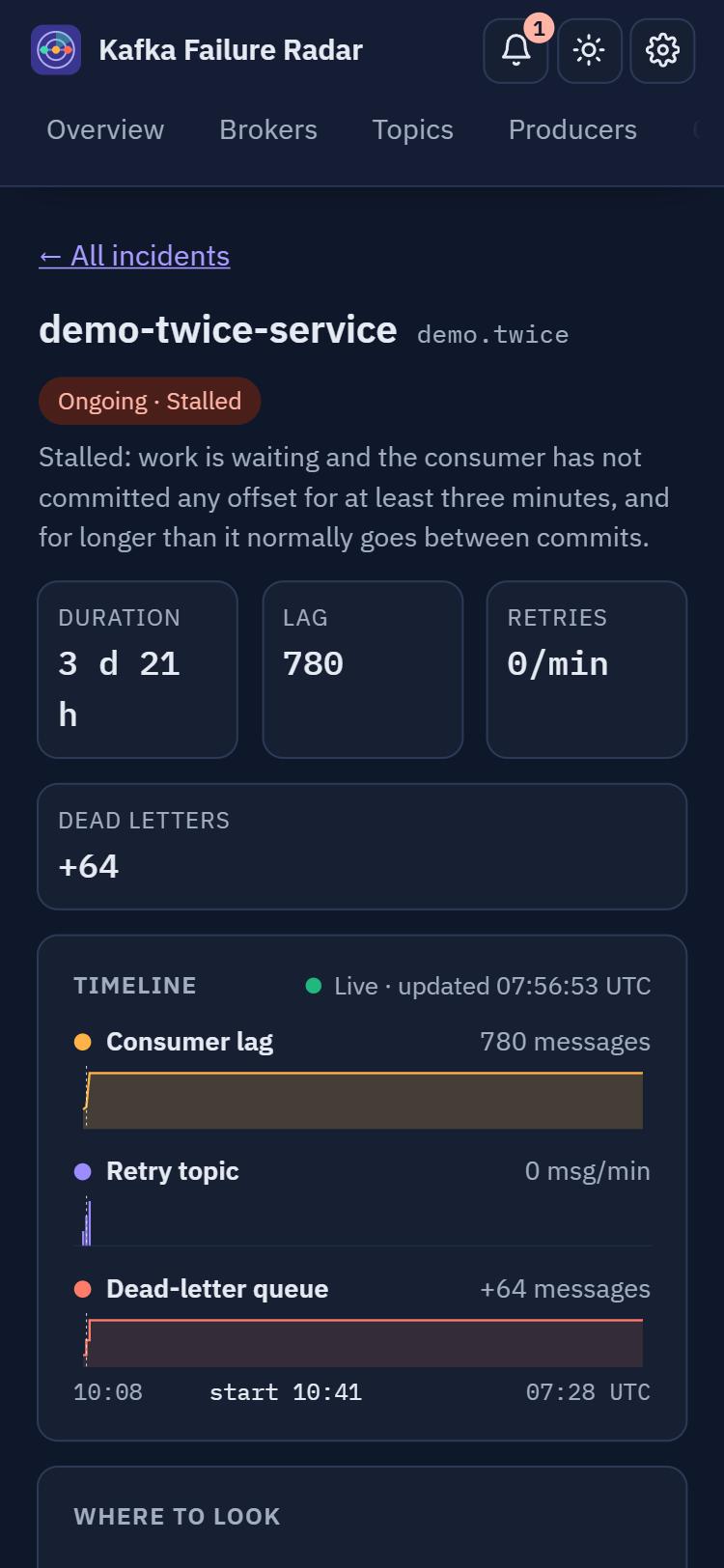
Consumer lag, the retry topic and the dead-letter queue on one time axis, with the moment it started marked, and a short list of where to look first.
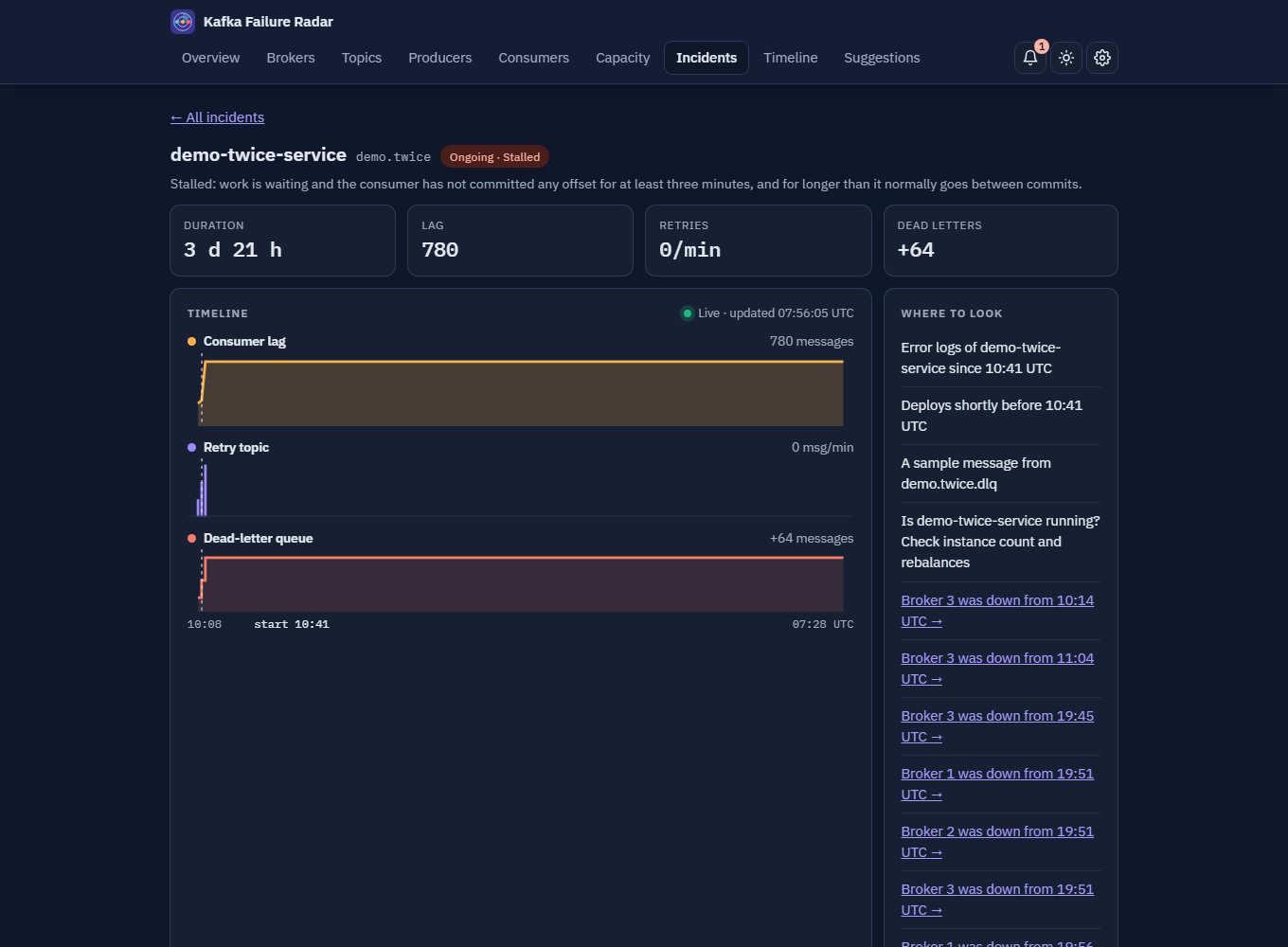
Everything around the incident, too
The consumer is rarely the whole story. The dashboard keeps the cluster, the disks and the people who need to know in the same place.
Consumer incidents
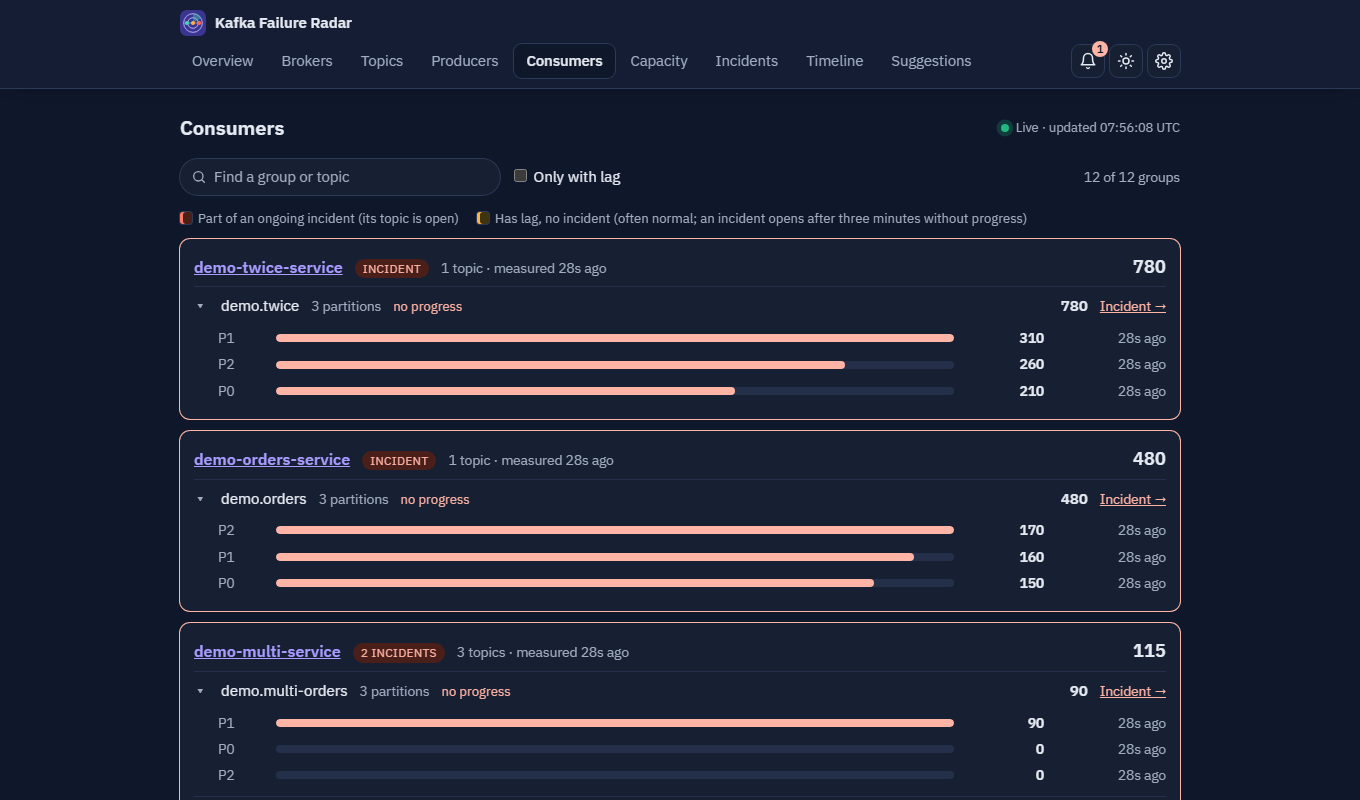
Stalled and falling-behind consumers, judged against each consumer's own rhythm of commits, so a quiet topic and a batch job both get a fair rule. Lag per partition and how long it takes to drain.
Broker incidents
A broker that is down, copies that fall out of sync, partitions left without a leader, and the consumers hit by it. Planned maintenance windows keep the planned from becoming incidents.
Disks and capacity
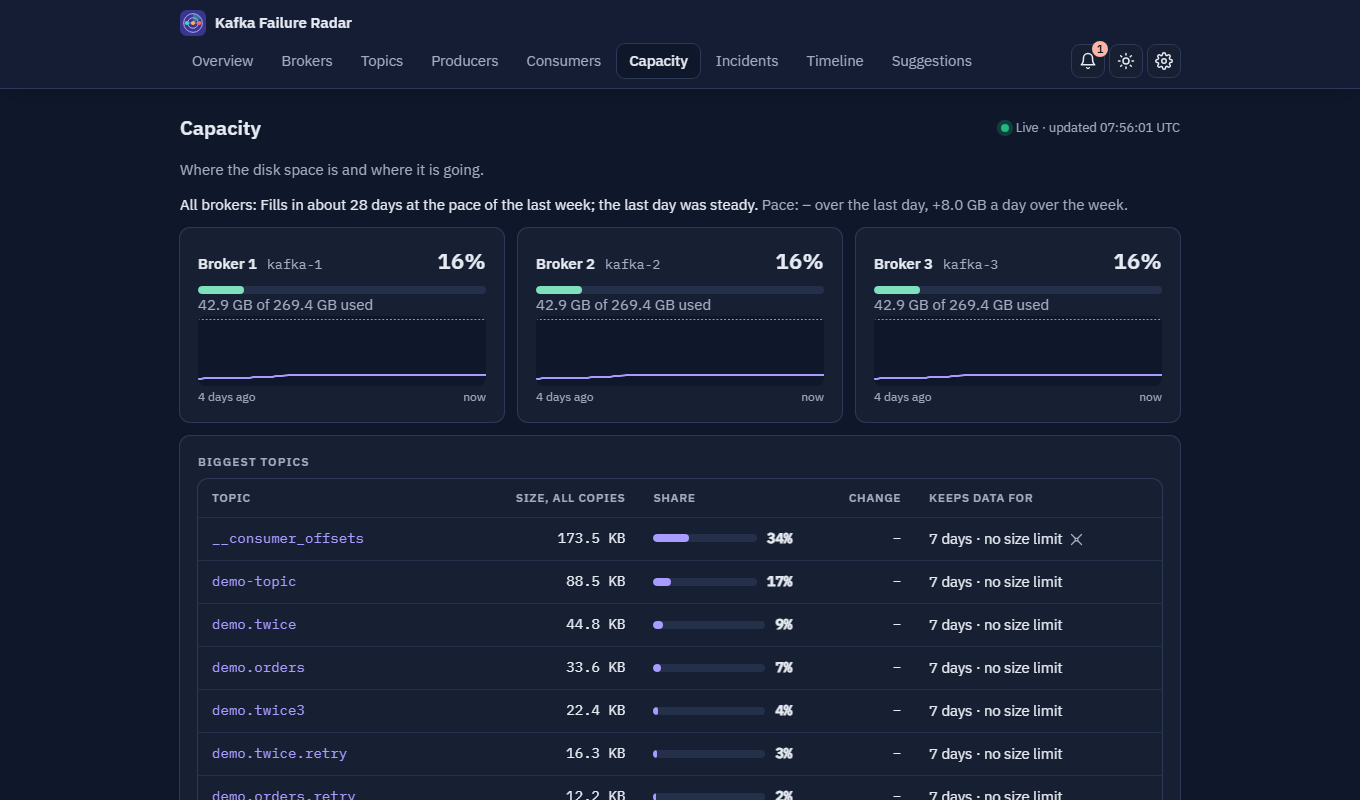
When each broker's disk fills at the pace of the last day and week, which topics hold the space, and what their retention is. A disk on course to fill opens an incident before it does.
Topics and producers
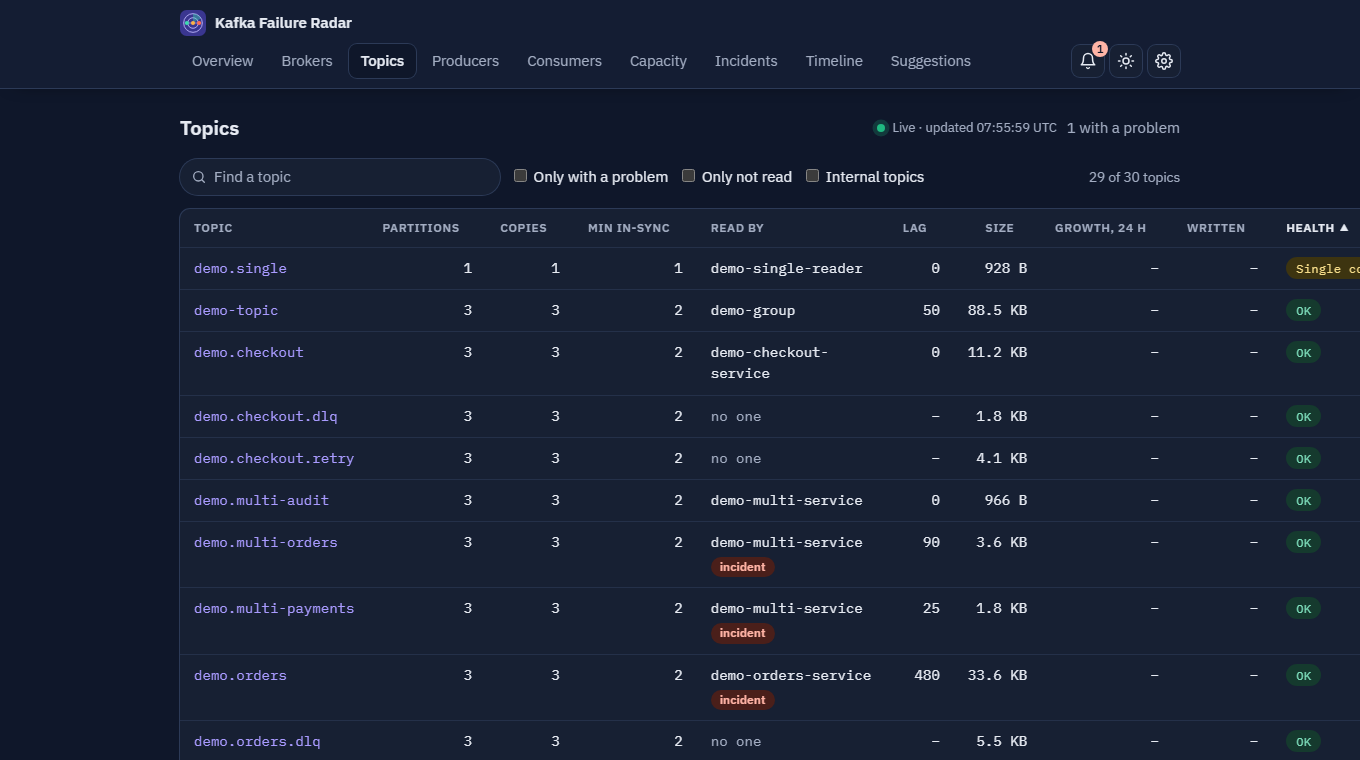
Every topic with its health, size, growth and who reads it, retry and dead-letter topics tied to their base topic, hot partitions and topics nobody reads. Which producers write where.
Broker settings
The settings that matter, each with an explanation and a flag when one looks wrong, so a replication or retention setting is not found out in an incident.
What to do next
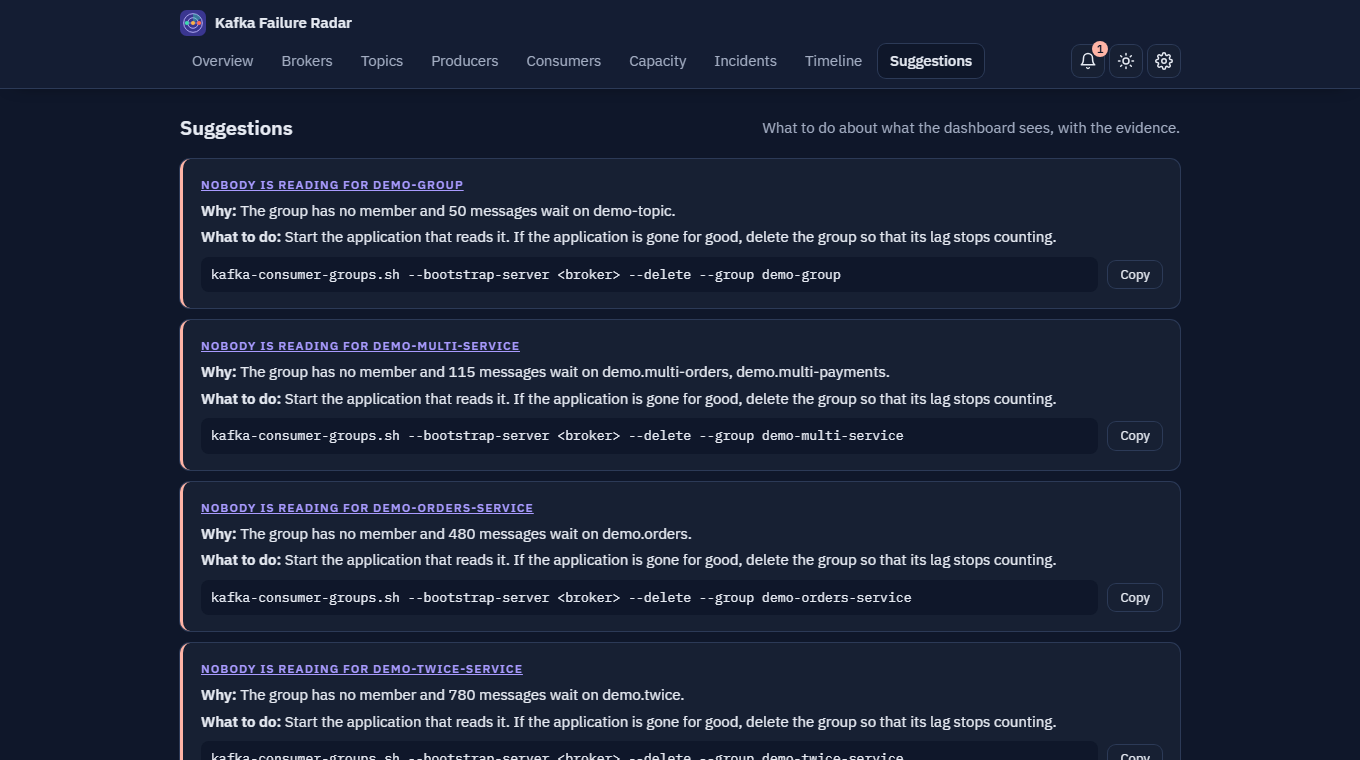
Suggestions with the evidence behind them and the command to copy, and a timeline of what changed in the cluster: brokers coming and going, topics created, retention changed.
Notifications
Slack, Teams, Mattermost, a webhook or email, with a daily digest, a hold-off before an announcement, quiet hours and the messages of resolved incidents.
Made for a phone, too
Light and dark themes, tables that become cards on a small screen, a bell that keeps what was announced, and an export of the incidents as CSV or JSON.
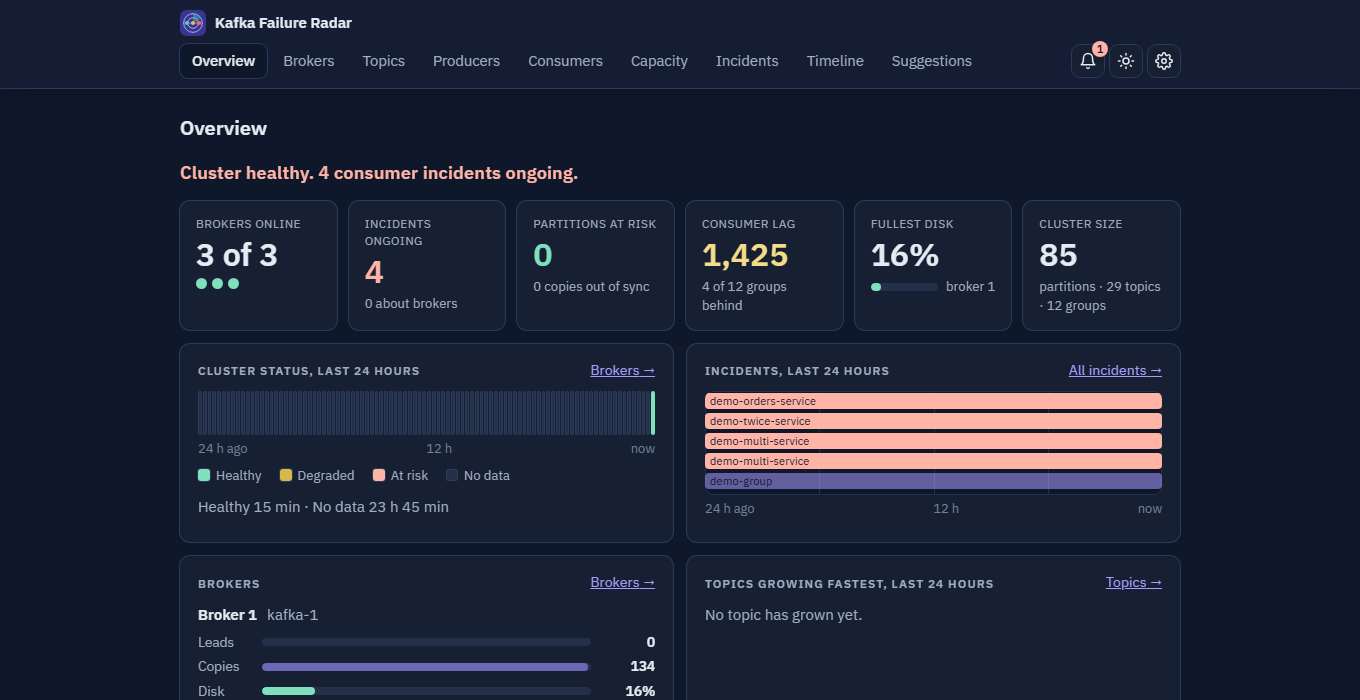
A look around
Screens from a demo cluster. Your names, your numbers. Click a smaller screen to open it full size.
How it works
-
Download and install
Unpack the package and run the install script, on Linux or on Windows. Docker is all you need, and the image is inside the package, so it works with no internet.
-
Point it at Kafka
Give it a broker address. It polls consumer group offsets, topic end offsets and the cluster's structure through the Kafka Admin API. It does not consume messages.
-
Open the dashboard
Within a minute http://127.0.0.1:3000 shows lag trends, incident timelines, disk forecasts and suggestions.
Built so your data stays yours
- No payloads. Message bodies, keys and headers are never read.
- Read-only access. The agent needs describe permissions only. It cannot produce or consume.
- Nothing leaves your machine. No account, no telemetry and no hosted service in between. It works with no internet.
- You choose who is told. Notifications go only to the channels you set up yourself.
a few honest things
This is a small independent project. It is free to use and closed-source; the terms are in the package.
It's for backend teams who run Kafka in production without a dedicated platform team.
It is not a general-purpose Kafka management console, and it doesn't replace Kpow, AKHQ or your Grafana dashboards. It does one job: help you diagnose incidents faster.
Limits today: one cluster and one login per installation, brokers without TLS or SASL only, and x86-64 Linux containers. Support is by email, best effort.
Which Kafka versions work
Brokers from 2.0 up to 4.0, ZooKeeper or KRaft. Each version below was tried for real: a broker, a topic with a consumer group that has lag, and the package pointed at it.
| Broker | Mode | Cluster, topics, lag, groups, sizes | Producers | Disk and capacity |
|---|---|---|---|---|
| 2.0 | ZooKeeper | works | not available | not available |
| 2.5 | ZooKeeper | works | not available | not available |
| 2.8 | ZooKeeper | works | not available | not available |
| 3.2 | ZooKeeper | works | works | not available |
| 3.3 | ZooKeeper | works | works | works |
| 3.4 | ZooKeeper | works | works | works |
| 3.7 | KRaft | works | works | works |
| 3.9 | KRaft | works | works | works |
| 4.0 | KRaft | works | works | works |
Producers and transactional ids need broker 3.0 or newer, and disk usage and capacity forecasts need 3.3 or newer. On an older broker the rest of the dashboard works and those parts stay empty.
Not tried: brokers older than 2.0, TLS or SASL (the agent connects without them, so managed services like MSK and Confluent Cloud are out), clusters of thousands of partitions. Most of these runs used a single broker; the three-broker case was tried with 3.9. Versions between the rows (3.5, 3.6, 3.8) were not tried but their neighbours work.
Free, supported by the people who use it
There is no account, no trial and no paid plan. Kafka Failure Radar is free, and its development is paid for by donations. If it saved you an incident, consider chipping in.
Donations are voluntary. They give no rights and buy no support or features.
Questions
What does it cost?
Nothing. It is free to use, for yourself and inside your organization. If you want to support it, there is a donation link on this page.
What data leaves our network?
None. The agent talks to your Kafka brokers and to nothing else, and everything it keeps stays in the database inside the container, on your machine. The only other connections are to the notification channels (a webhook, an email server) you choose to set up. It reads offsets, group states and the cluster's structure and settings, and never message payloads, keys or headers.
What Kafka permissions does the agent need?
Read-only: describe access to consumer groups, topics, topic and broker configs, log directories, producers and the cluster. Whatever it is not allowed to describe is left out of the dashboard instead of stopping it. It needs no permission to produce or consume.
Which Kafka versions does it work with?
Brokers from 2.0 up to 4.0, ZooKeeper or KRaft. It was tried against 2.0, 2.5, 2.8, 3.2, 3.3 and 3.4 (ZooKeeper) and 3.7, 3.9 and 4.0 (KRaft); older brokers were not tried, and most of those runs used a single broker. Two views need newer brokers: producers need 3.0 or newer, and disk usage and capacity forecasts need 3.3 or newer. On an older broker the rest of the dashboard works and those parts stay empty.
Does it work with managed Kafka like MSK or Confluent Cloud?
Not yet. The agent connects without TLS or SASL, so a cluster that requires them is not supported. Self-managed clusters on a network you trust are.
Does it run without internet?
Yes. The image is inside the package and nothing is downloaded when you install or run it.
Is it open source?
No. It is closed-source freeware. You may use it free of charge, including at work, but you may not sell it, host it as a service for others, or redistribute it. The full terms are in LICENSE.txt in the package.
What about support and updates?
Support is by email, best effort, with no promised response time. New versions are published on this page as new packages; installing one keeps your data.
Does it find the root cause automatically?
No. It shows correlated signals and suggests where to look first. The diagnosis is still yours.
Download
One package for Linux and Windows, with an install guide in English and Turkish.
Needs Docker (Docker Desktop on Windows), an x86-64 processor, about 250 MB of memory and Kafka 2.0 or newer. The package comes with a SHA-256 checksum file.
tar xzf kafka-failure-radar-lite-<version>.tar.gz
cd kafka-failure-radar-lite-<version>
KAFKA_BOOTSTRAP_SERVERS=broker-1:9092 ./install.sh
On Windows, run install.ps1 in PowerShell instead.